
Cheap Windows VPS Hosting: Affordable Plans Compared
Finding cheap Windows VPS hosting that’s actually reliable can be challenging. Many “budget” plans cut corners on performance, security, or support. This guide compares affordable Windows VPS options, explains what to look for, and helps you choose the right plan without overpaying.
What Is Windows VPS Hosting?
VPS (Virtual Private Server) hosting splits a powerful physical server into multiple virtual servers, each with its own resources and operating system.
With Windows VPS hosting:
- Your server runs Windows Server (2016, 2019, 2022, etc.)
- You can use Remote Desktop (RDP) to manage it with a familiar Windows interface.
- It’s ideal for apps or tools that require .NET, ASP.NET, MSSQL, IIS, or Windows-only software.
Compared to shared hosting, a VPS gives you:
- Dedicated resources (CPU, RAM, storage).
- Better performance and stability.
- More control over software and configuration.
Why Choose a Cheap Windows VPS?
You might not need an expensive, high-end VPS. A cheap Windows VPS can be a good fit if you:
- Run small to medium websites or apps
- Need a remote Windows surroundings for trading bots, RDP use, or testing.
- Are a developer testing Windows-based applications.
- Want an always-on remote desktop or small game server.
You’ll save money, but you must choose carefully to avoid slow, oversold, or unreliable servers.
Key Features to Compare in Cheap Windows VPS Plans
When comparing affordable Windows VPS hosting, don’t look at price alone. Focus on these core factors:
1. Performance (CPU, RAM, Storage)
- CPU cores: More cores = better multitasking and faster processing.
- Budget range: 1–4 vCPUs.
- RAM: Crucial for responsiveness.
- Budget range: 1–8 GB RAM.
- Storage:
- Prefer SSD or NVMe for speed.
- Check if it’s dedicated storage or “up to” shared IO.
2. Operating System Licensing
windows isn’t free. Good providers include the Windows Server license in the VPS price. Confirm:
- Which versions are available (2016/2019/2025).
- If the license is included or billed separately.
3. Network & bandwidth
- Port speed: 100 Mbps is basic; 1 Gbps is better.
- Bandwidth: Look for clear monthly limits or “fair use” terms.
- Consider nearby data center locations for lower latency.
4. Management Level
- Unmanaged: You handle all setup, security, updates, and troubleshooting → usually cheaper.
- Managed: the host helps with OS, security hardening, monitoring, and often control panel configuration → Costs more but safer for non-experts.
5. Uptime & Reliability
- Look for at least 99.9% uptime SLA.
- Check if they have redundant power, network, and backups.
6. Security Features
- DDoS protection.
- Firewall options.
- Regular backups (automatic or on-demand).
- Options for snapshots or restore points.
7. Support Quality
- Channels: Live chat, ticket, email, phone.
- Availability: 24/7 support is ideal.
- Check if Windows-specific help is included for VPS customers.
Cheap Windows VPS Hosting: Plan Types and Typical Pricing
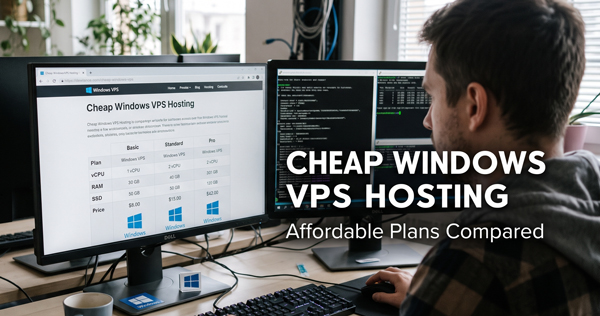
Below is a general breakdown of common budget tiers. Prices are approximate and vary by provider and region, but this is a realistic comparison range.
Entry-Level Plans (Best for Light Use)
Typical specs:
- 1 vCPU
- 1–2 GB RAM
- 20–40 GB SSD
- 1 TB bandwidth
- Windows license included.
Use cases:
- Small websites or landing pages.
- Light RDP use (one user at a time).
- Testing / progress servers.
- Small database or API endpoints.
Approximate price range:
-
- $7–$15/month.
Mid-Range Cheap Plans (Best Value for Most Users)
Typical specs:
- 2–4 vCPUs
- 4–8 GB RAM
- 40–80 GB SSD
- 2–4 TB bandwidth
Use cases:
- Multiple sites or heavier traffic
- Running multiple applications or services
- Forex / trading bots with moderate load
- Small teams using remote desktop.
Approximate price range:
-
- $15–$35/month
Higher Affordable Tier (Still “Cheap” vs Dedicated)
Typical specs:
- 4–6 vCPUs
- 8–16 GB RAM
- 80–160 GB SSD
- 4+ TB bandwidth.
Use cases:
- Heavier database or submission loads.
- Large e-commerce sites.
- Heavier RDP use (multiple concurrent users).
- Windows-based SaaS or internal tools.
Approximate price range:
-
- $30–$70/month
(Still far cheaper than a dedicated Windows server)
How to Find Truly Affordable Windows VPS Deals
To keep costs low without sacrificing to much quality:
1. Choose Unmanaged if You’re Comfortable With Servers
If you can:
- Install and update Windows
- Configure IIS, MSSQL, or your app stack
- Handle security and firewall rules
Then unmanaged VPS will usually be 30–50% cheaper than managed options.
2.Pay Annually (But Only After Testing)
- Many hosts offer 10–30% discounts for annual billing.
- First, try a monthly plan to test performance and support.
- Then switch to an annual plan if satisfied.
3. Watch for Promotions and coupons
- Introductory discounts for the first term.
- Black Friday / Cyber monday deals.
- Coupon codes from hosting review sites or newsletters.
Always check the renewal price, not just the first invoice.
4. Optimize Resources
Don’t overbuy:
- Start with lower RAM and CPU, upgrade later if needed.
- Use efficient web servers and caching to reduce load.
- Clean up unused apps and services to keep performance smooth.
Cheap Windows VPS vs Alternatives
Windows VPS vs Shared Hosting
- VPS advantages:
- Dedicated resources
- Full control over OS and software
- Better performance and security isolation
- Shared hosting advantages:
- Much cheaper for very simple sites
- Easier for non-technical users
- Often includes control panels and email by default.
If you only host a basic site and don’t need Windows-specific software, shared hosting might be enough.
Windows VPS vs Linux VPS
- Linux VPS is almost always cheaper:
- No OS license cost
- Ideal for PHP, Node.js, Python, etc.
- Choose Windows VPS if:
- You require ASP.NET, MSSQL, or Windows apps
- You need a full remote desktop Windows environment
- Your team prefers Windows Server and RDP
Windows VPS vs Windows Dedicated Server
- VPS:
- Much cheaper
- Easy to upgrade/downgrade
- Great for most small–medium workloads
- Dedicated:
- Highest performance
- Full access to hardware
- More expensive and frequently enough overkill for modest use
for most users looking for cheap Windows hosting, a VPS is the right middle ground.
Tips for Choosing the Best Cheap Windows VPS for Your Needs
- Define your purpose clearly
- Website, remote desktop, trading bots, testing lab, game server, etc.
- This determines minimum CPU,RAM,and storage.
- Estimate resource usage
- Small site or light RDP: 1 vCPU / 2 GB RAM can be enough
- Multiple apps or heavier traffic: Start at 2–4 vCPUs / 4–8 GB RAM.
- Check OS and software compatibility
- confirm windows Server version support.
- Check if you can install IIS, MSSQL Express, or other needed stacks.
- Evaluate data center location
- Choose a region close to your main users.
- Reduces latency and improves response times.
- Read the fine print
- Check for throttling, CPU limits, or strict “fair use” policies.
- Verify backup options and restore fees.
- Review refund or money-back guarantees (often 7–30 days).
- Test performance and support early
- Use tools like Ping, Traceroute, and basic load testing.
- Contact support with a simple question to gauge response quality.
Common Use Cases for Cheap Windows VPS Hosting
1. Small Business Websites and Apps
- Host company sites, internal tools, or small web apps.
- Ideal when you rely on ASP.NET or MSSQL.
- Mid-range cheap VPS plans handle most small-business workloads easily.
2. Remote Desktop (RDP) Workstations
- Access a Windows desktop from anywhere.
- Install desktop apps needed by remote team members.
- Popular for light productivity tasks or specialized tools that must run on Windows.
3. Forex & Trading Bots
- run Windows-based trading platforms or expert advisors.
- Keep software running 24/7 with stable uptime.
- choose low-latency locations near your broker’s servers if possible.
4. Development & Testing Environments
- Safe sandbox for development, QA, and staging.
- Test different Windows Server versions or .NET runtimes.
- Quickly rebuild or snapshot when experimenting.
5. Game Servers & Hobby Projects
- Host smaller Windows-based game servers (if supported)
- Run hobby projects, bots, automation scripts, or self-hosted tools
How to Keep a Cheap Windows VPS Fast and Stable
Even budget VPS hosting can perform well if you manage it correctly:
- Disable needless Windows services to free CPU and RAM
- use lightweight antivirus and security tools
- Apply Windows Updates during off-peak times
- Configure firewalls and close unused ports
- Set up regular backups or snapshots
- Monitor resource usage and upgrade once you consistently hit limits.
When “Cheap” Windows VPS Is Too Cheap
Low prices can be a red flag. Be cautious if:
- The price seems unrealistically low compared to competitors with similar specs
- There is no clear uptime guarantee
- Support is not 24/7 and there are no recent reviews
- The provider hides or doesn’t clearly state:
- Data center locations
- Ownership/company details
- Terms of service or acceptable use policies.
In such cases, you might experience:
- Frequent downtime
- Overloaded (oversold) servers
- Slow disk and network performance
- Poor or nonexistent support.
Saving a few dollars per month is not worth losing reliability.
Summary: Choosing the Right Cheap Windows VPS Hosting
to pick the best cheap Windows VPS hosting plan:
- Match specs to your needs
- Start small (1–2 vCPUs, 2–4 GB RAM) and scale up as needed.
- Prefer SSD storage and nearby data centers
- Faster load times and better user experience.
- Decide between unmanaged and managed
- Unmanaged for lower cost if you’re technical.
- Managed if you want help with configuration and security.
- Check licensing, support, and uptime SLA
- Confirm Windows license is included.
- Confirm 24/7 support and at least 99.9% uptime.
- Test before committing long-term
- Use monthly billing first; then lock in discounts with annual terms if satisfied.
By comparing resource allocations, pricing, and real-world reliability, you can find affordable Windows VPS hosting that balances cost and performance—without sacrificing the stability your projects need.